
How To: Group Leaders to Request Facility Use For Regular Meetings (Non-Promotional Events)
This procedure is designed for group leaders at Foothills Unitarian Church who need to request the use of church facilities for regular meetings that do not require promotion beyond current members.
Example: Members of the Solar Team want to have a regular meeting of their team that doesn't require any church wide communication.
Step 1: Create Event in PCO Group
|
|
|
Step 2: Add to Calendar
|
|
|
|
Step 3: Fill Out Form
|
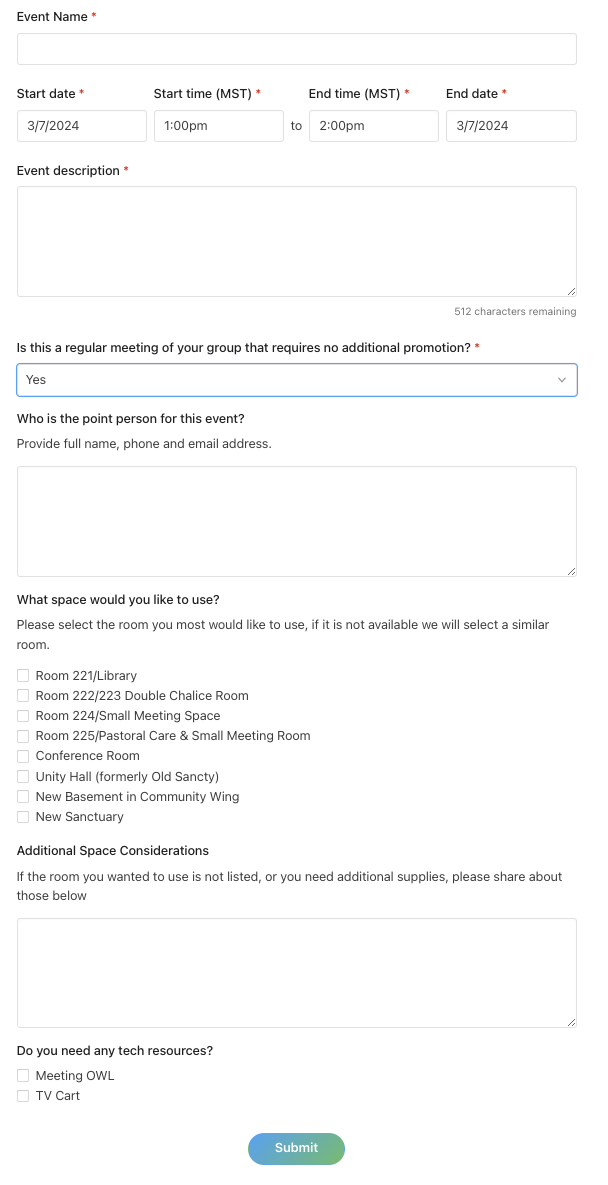 |
Step 4: Receive Confirmation
- Await Notification: Keep an eye on your email for responses regarding your request. This may include further questions, approval, or rejection.
- Confirmation Email: Once approved, you will receive a confirmation email. This email may contain a customizable note with further instructions or information.
Event Editing: While events in your group can be updated post-creation to update information (add location once confirmed, or update description). These changes will not update any facility usage information. Please contact the Admin Team directly for any changes in your facilities use request.