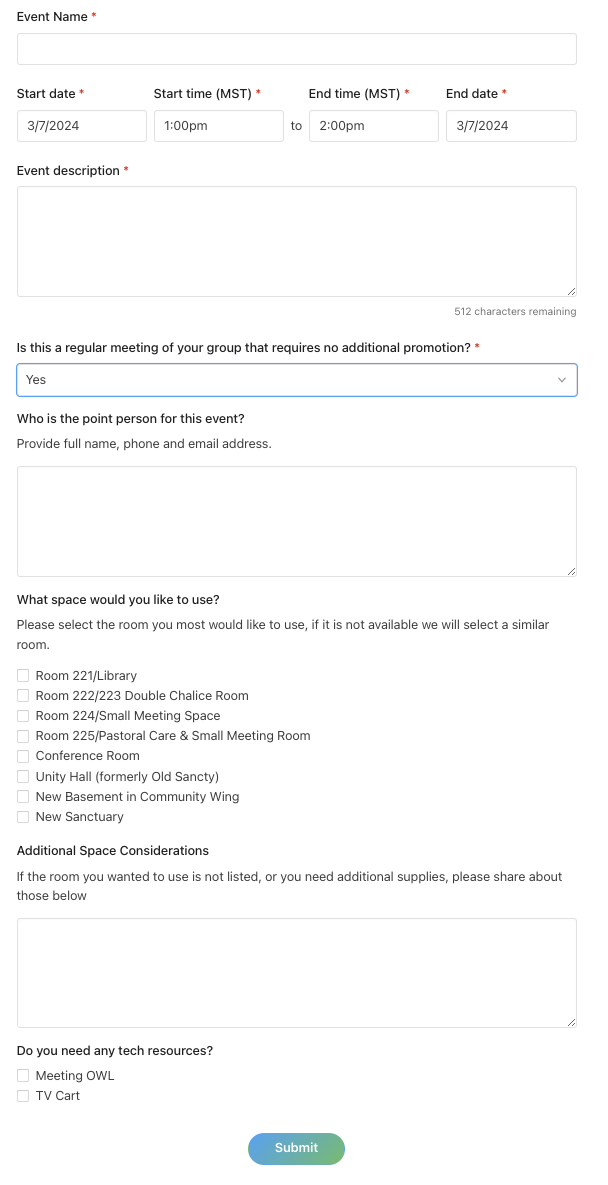
Procedure: Group Leaders to Request Facility Use For Regular Meetings (Non-Promotional Meetings)
This procedure is designed for group leaders at Foothills Unitarian Church who need to request the use of church facilities for regular meetings that do not require promotion beyond current members.
Example: Members of the Solar Team want to have a regular meeting of their team that doesn't require any church wide communication.
Step 1: Create Event in PCO Group
Access Group's Events Tab: Navigate to your group's Events tab in Planning Center Online (PCO) Groups.
Select "Create a New Event": Click on the option to create a new event.
 Input Event Details:
Event Name and Description: Provide a clear name and description for the event. This information will be visible in Church Center for your group.
Meeting Time: Set the date and time for the event. If it's a one-time event, set "Repeat" to "Never." For recurring events, select the appropriate frequency and end date.
Location: Choose the location where your event will take place.
Automated Reminders: Set up any necessary reminders for the event.
Create Event: Once all details are filled in, select "Create event" to add it to your group's calendar.
Input Event Details:
Event Name and Description: Provide a clear name and description for the event. This information will be visible in Church Center for your group.
Meeting Time: Set the date and time for the event. If it's a one-time event, set "Repeat" to "Never." For recurring events, select the appropriate frequency and end date.
Location: Choose the location where your event will take place.
Automated Reminders: Set up any necessary reminders for the event.
Create Event: Once all details are filled in, select "Create event" to add it to your group's calendar.

Step 2: Add to Calendar
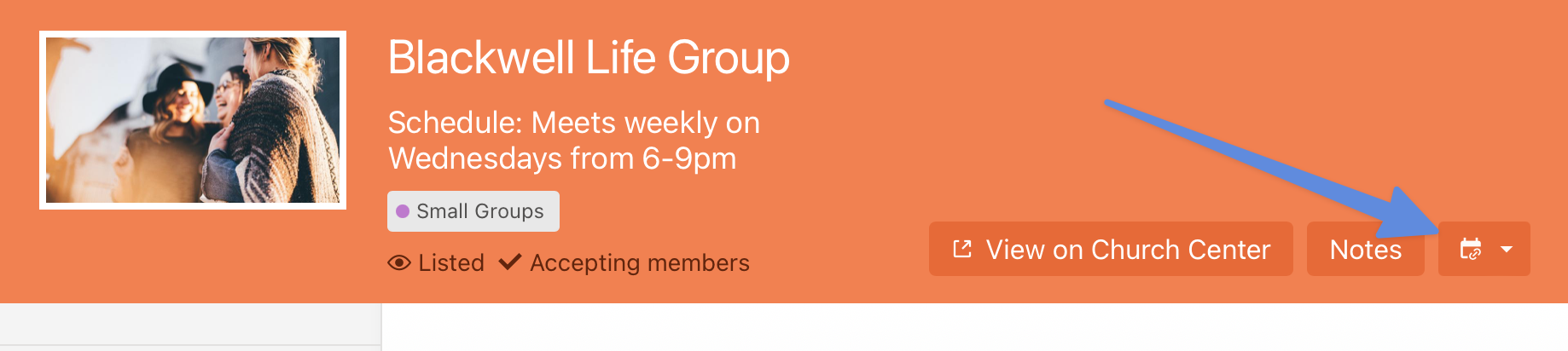
Select Calendar Icon: From the group event page, click on the calendar icon.
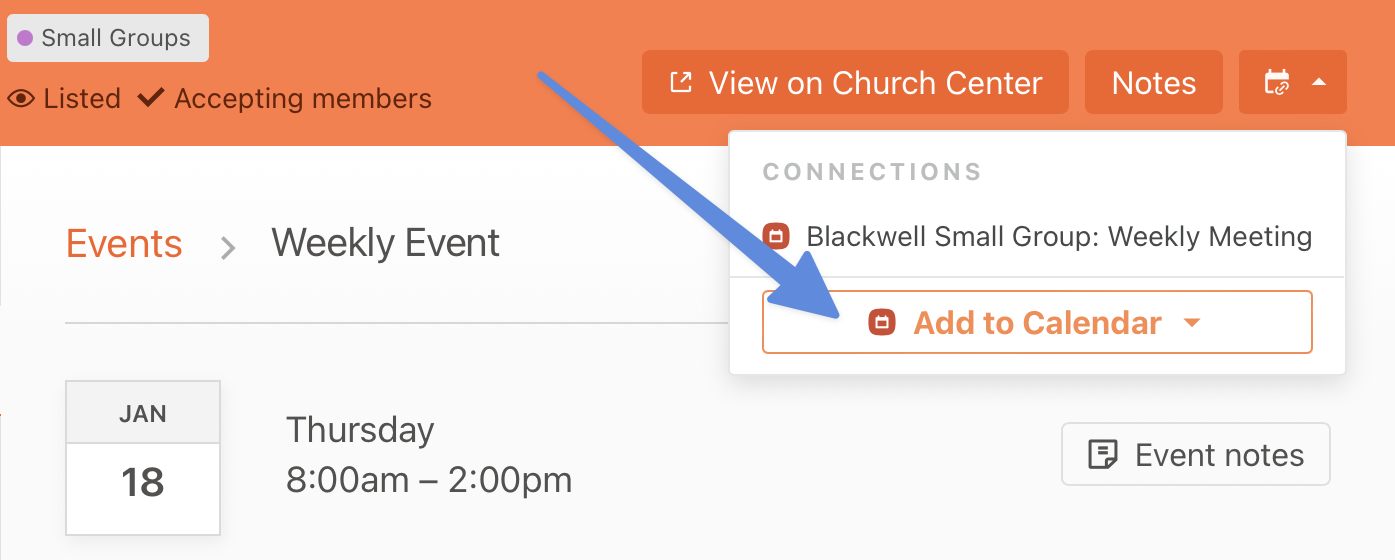
 Choose "Add to Calendar": This will direct you to an event request form in Church Center.
Step 3: Fill Out Form
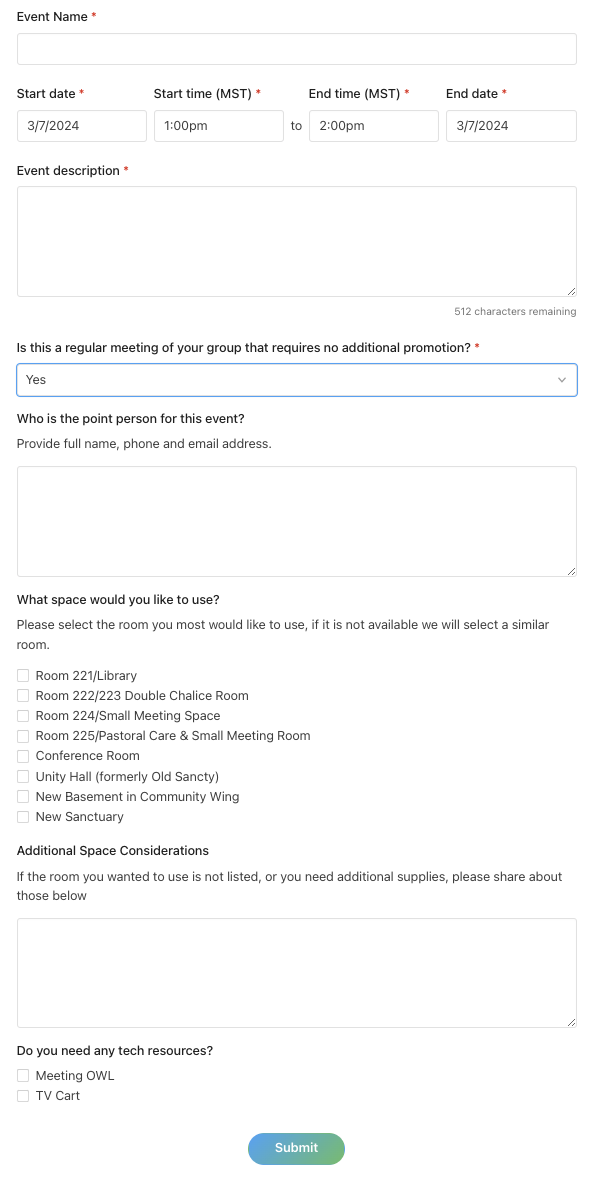
Complete Request Form: Fill out the form with any additional notes and information required for your event.
Submit for Review: After completing the form, submit your request for approval.
Step 4: Receive Confirmation
Await Notification: Keep an eye on your email for responses regarding your request. This may include further questions, approval, or rejection.
Confirmation Email: Once approved, you will receive a confirmation email. This email may contain a customizable note with further instructions or information.
Event Editing: While events in your group can be updated post-creation to update information (add location once confirmed, or update description). These changes will not update any facility usage information. Please contact the Admin Team directly for any changes in your facilities use request.